Asteri
PricingIntegrationsOur storyEvents
Log inStart free trial(443) 640-9400

Online booking platform

Online booking for the way service businesses actually work.

Let customers book without turning your dispatch board into a mess. Asteri checks service areas, captures job details, protects capacity, takes deposits, and keeps the customer connected after the appointment.

Build your booking flow
  • Service-area checks
  • Real calendar capacity
  • Deposits and approvals
  • Portal follow-up
Two service technicians reviewing online bookings on a laptop and tablet in their shop

Step by step

The booking flow asks the questions dispatch already asks.

Your settings decide which of the steps below customers see, and whether they pay a deposit, the full amount, or nothing up front.

01

Service area and minimums

Before customers start, check they're in your service area. Set service minimums by ZIP code or by zone, so every visit is worth the drive.

  • Out-of-area customers are turned away with your phone number
  • Service minimums by ZIP code or zone
  • Serve by ZIP code, map zone, or distance
Step 1 · Location

Where do you need service?

21201
Check

Great news, we serve Baltimore!

A $150.00 service minimum applies in this area.

21201

Zone minimum: $150.00

21044

ZIP minimum: $225.00

21093

Standard minimum: $99.00

02

Residential or commercial

Ask whether the booking is for a home or a business. Homes go on to book at your prices. Businesses call you or request a consultation, so you can walk the space before you quote.

  • Commercial customers skip your home price list
  • Send them to a phone call, a consultation, or let them choose
  • Consultations land on your calendar with company and space details
Step 2 · Type

What kind of property is this for?

Residential

Home, condo, townhouse, or apartment

Commercial

Office, retail, facility, or other business property

Commercial customers see

Request a consultationCall us
03

Property type and floors

Homeowners pick a house, townhouse, apartment, or condo. Hide services that don't fit a property type. For apartments and condos, floor surcharges add themselves, with an extra charge when there's no elevator.

  • Hide services that don’t fit a property type
  • Per-floor surcharge for apartments and condos
  • Extra charge above a set floor with no elevator
Step 3 · Property

Tell us about the property

House
Townhouse
Apartment
Condo

Which floor is it on?

4

Is there an elevator?

No

Floor surcharge ($5.00 a floor, plus $25.00 with no elevator)$40.00
04

Services with a live total

Customers browse your services by category and choose quantities, like rooms or pieces. The total updates as they go, and a bar shows how close they are to your service minimum.

  • Services grouped by category
  • Quantities for rooms, pieces, or stairs
  • Live total as they choose
  • Service minimum progress bar
Step 4 · Service
$98.00 of $150.00 minimum$52.00 to go

Carpet cleaning

$49.00 / room

2

Staircase

$39.00

0

Sofa

$99.00

0
05

Photos and your own questions

Customers can add photos and a note about stains, pets, or access, then answer the questions you set. Your team knows what to expect before the first visit.

  • Up to 10 photos, optional or required
  • Your own questions, required or optional
  • Dropdowns, checkboxes, dates, file uploads, and more
Step 5 · Details
Living room stain
Sofa arm
Add photo

About how old is the carpet?

5 to 10 years

Will someone be home?

No, we’ll leave a key

06

Extras

Offer extras with their own prices, like pet odor treatment or moving furniture. Extras count toward your service minimum.

  • Extras with their own prices
  • They count toward the service minimum
Step 6 · Extras

Add any extras

Pet odor treatment
+$35.00
Carpet protector
+$29.00
Fresh-scent deodorizer
+$15.00
07

Date and time

Customers only see times your team can take, based on your business hours, blocked time, and how many jobs you can handle. The time they pick is held while they finish booking.

  • Only open times are shown
  • Arrival windows or exact start times
  • Their time is held while they finish
Step 7 · Schedule

Pick a day and arrival time

Mon

12

Tue

13

Wed

14

Thu

15

Fri

16

8:00 – 10:00 AM
10:00 AM – 12:00 PM
12:00 – 2:00 PMBooked
2:00 – 4:00 PM

This time is reserved for you while you finish booking. 4:52

08

Recurring service

Customers can ask for the service to repeat. The first visit is booked now, and you confirm the ongoing schedule before future visits are added.

  • Choose which schedules to offer
  • Customers pick which services repeat
  • You confirm before future visits are added
Step 8 · Recurring

Make it recurring?

One-time booking

Book only this visit

Weekly

Request service every week

Every 2 weeks

Request service every other week

Monthly

Request service once a month

09

Review and pay

Customers see every line before they pay: services, extras, any promo code, the minimum adjustment, and tax. Take a deposit, the full amount, or nothing up front.

  • Itemized total with tax
  • Deposit, full payment, or pay later
  • Your promo codes
  • New customers are saved to your customer list
Step 9 · Review
Carpet cleaning × 2$98.00
Pet odor treatment$35.00
Promo FIRSTCLEAN−$20.00
Minimum adjustment$37.00
Estimated tax (6%)$9.00
Total$159.00
Deposit due today$50.00
Book and pay $50.00

You set the rules

Your rules, built into every booking.

You decide where you work, what you offer, when your crews are free, and how customers pay. The booking page follows those rules on its own, so every job that lands on your calendar is one you can take, with the details and payment already sorted.

8

Parts you control

From your booking page to follow-up after the job.

3

Ways to take payment

A request with no charge, a deposit, or full payment up front.

6

Ad platforms tracked

Google, Facebook and Instagram, TikTok, Reddit, Pinterest, and LinkedIn.

24/7

Open for bookings

Customers book, pay, get reminders, and check their account any time.

Dispatcher turning online bookings into scheduled service jobs
  1. 01Website visitor
  2. 02Qualified request
  3. 03Scheduled job
  4. 04Customer follow-up

01Publish

Put your booking page anywhere

Customers see a clean page with your brand instead of a generic form.

  • A booking page with your logo, welcome message, brand color, and Google review badge.

  • Use your own web address, like book.yourbusiness.com. Asteri walks you through setup and keeps it secure.

  • Add a booking button to the website you already have.

  • A setup guide checks that everything is ready, then gives you links to share in ads, on your site, or on a QR code.

02Screen

Screen every customer before they reach your team

Fewer jobs you can’t take, and more good customers on your calendar.

  • Check the ZIP code before customers choose services.

  • Service minimums by zone, ZIP code, or distance, with a standard minimum everywhere else.

  • Send homes and businesses down different paths: book online, call you, or request a consultation.

  • Returning customers are recognized without showing anyone else’s details, and customers can schedule work from an estimate you sent.

03Details

Know the job before the crew arrives

Every booking comes with details, photos, and property info, so your prices hold up.

  • Services in categories and subcategories, with quantities, room details, and your own questions for each service.

  • Extras for specific services, each with its own options and prices.

  • Property type, floor, and elevator access, with floor surcharges shown to the customer.

  • Photos before the visit, optional or required, including photos of problem areas. AI can review floor photos, too.

04Schedule

Only offer times you can keep

Customers book faster, and your team keeps its breathing room.

  • Exact start times, arrival windows, or a mix of both.

  • Business hours, days you’re closed, how soon and how far ahead customers can book, job length, and time between jobs.

  • Preview what customers will see for any date, ZIP code, or job size before you go live.

  • Times are held while customers finish, other times are suggested when one is taken, and customers can ask for a favorite technician.

05Get paid

Get paid when they book

Collect money up front, raise the average ticket, and explain every price before anyone calls.

  • Clear totals: services, extras, floor surcharges, minimums, discounts, and tax.

  • Take a deposit, full payment, or let customers pay later.

  • Cards, digital wallets, bank payments, pay over time, cash, and checks.

  • Specials, promo codes, gift certificates, memberships, recurring bookings, and credit from a paid consultation.

06Track

See which ads bring booked jobs

Know which ads and campaigns turn into bookings, deposits, and revenue.

  • Watch bookings in progress, see where customers stop, and see where they came from.

  • Test two versions of your buttons, steps, form fields, prices, or service order, and keep the one that books more.

  • Step-by-step setup and health checks for Google Ads and Facebook and Instagram ads, with alerts when a connection needs attention.

  • Works with Google Analytics, Google Tag Manager, TikTok, Reddit, Pinterest, and LinkedIn, links each booking to the ad click, and respects visitors’ cookie choices.

07Run

Bookings go straight to your calendar

Each booking becomes a job, with messages, approvals, and details attached.

  • Approve bookings yourself, or set rules that approve them for you. Serious problems can go to a consultation first.

  • Confirmation messages, two reminders, and your own message templates.

  • Google Calendar and Outlook Calendar sync, with your own job titles.

  • Cancellation and rescheduling deadlines, with your policy shown to customers.

08Keep

Keep customers coming back

After booking, customers can pay, message you, and book again on their own.

  • A customer portal with appointments, invoices, quotes, messages, requests, wallet, and profile.

  • Customers can get into the portal right after they book.

  • Send customers to your own thank-you page after they book.

  • Recurring service, referrals, a customer wallet, and member perks on future bookings.

Smart defaults

The details that keep online booking from breaking the workday.

The page sells, and it also follows the limits that matter in service work: where you go, how big the job is, when you get paid, and how full the calendar is.

Service area checks

Turn away ZIP codes you don’t serve and set minimums for far-away areas before anything reaches your calendar.

Property details

Hide services that don’t fit a property type, add floor surcharges, and send businesses to a consultation.

Service minimums

Show customers how close they are to your minimum, with nothing hidden.

Clear prices

Show services, extras, tax, discounts, and the deposit before customers pay.

Time holds

Hold the time a customer picks while they finish booking and paying.

Specials

Run specials right on the booking page, so your office doesn’t have to explain each one.

Credits and gifts

Promo codes, gift certificates, prepaid credits, and member perks.

Recurring work

Let customers ask for weekly, every-2-weeks, monthly, or quarterly service.

Brand colors & logo

Match your booking page to your brand with your logo and colors.

Custom domain

Use book.yourbusiness.com instead of an Asteri address. A secure connection is included.

A/B testing

Try two versions of your page and keep the one that gets more bookings.

Example booking funnelIllustrative data
Page views2,847
Started booking1,423
Selected services1,105
Chose date/time892
Completed payment647
Trackedfrom visit to booking

Customer portal

Customers can manage the next step without calling the office.

Customers can come back to appointments, invoices, quotes, messages, wallet, and repeat service paths without calling the office.

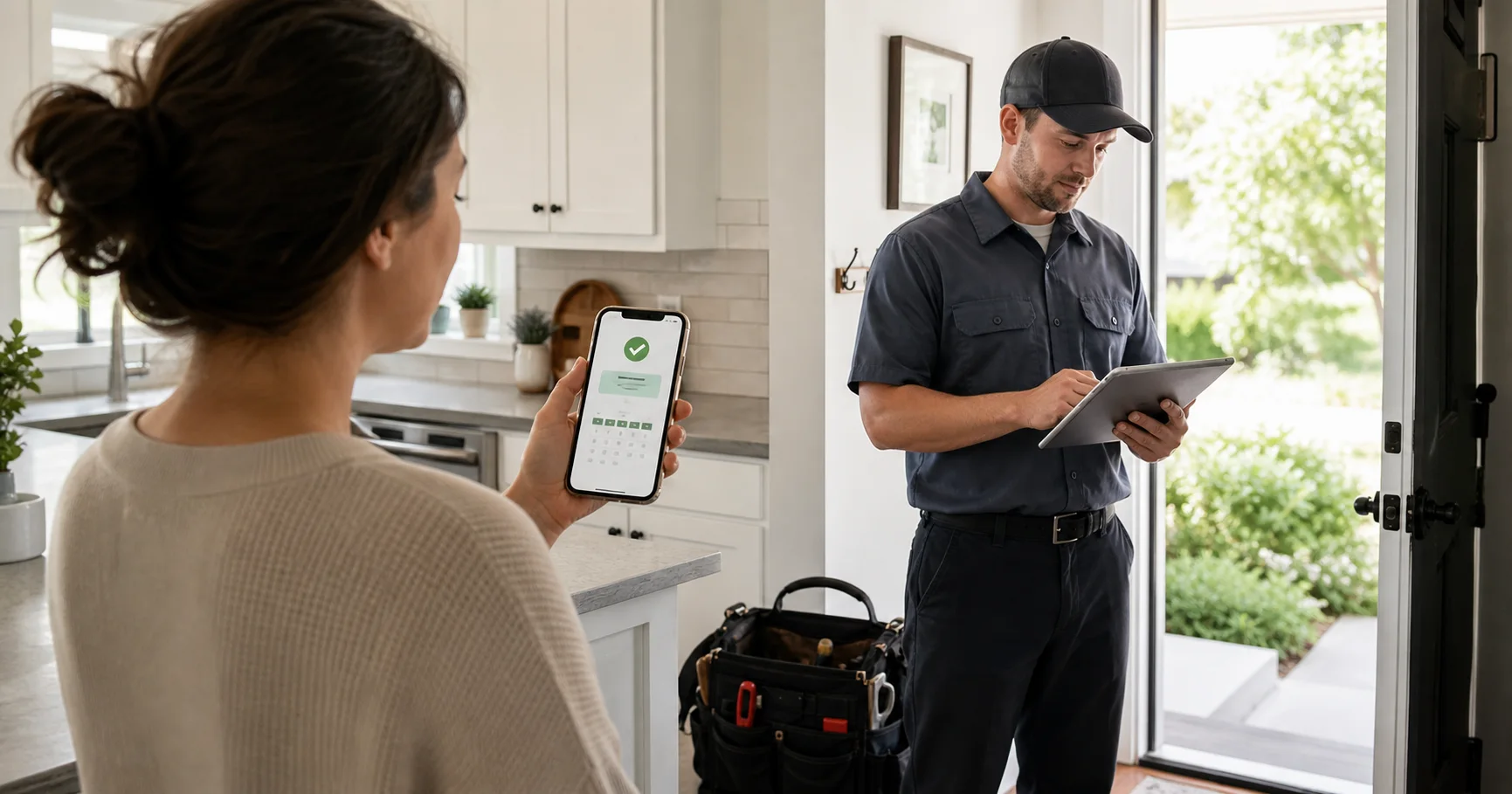
Home-service customer and technician using booking confirmation tools

Customer portal

Welcome back, Sarah

SJ
Appointments

Upcoming, past, and rescheduled work stays visible.

Invoices

Invoices and quote approvals stay tied to the customer.

Messages

Booking context carries into ongoing communication.

Wallet

Saved cards and autopay for service agreements stay in one place.

Referrals

Happy customers get an obvious next action after service.

Quotes

Estimate and proposal paths can return to booking.

Competitive edge

Where basic scheduler forms stop short.

  • Custom branded booking page

    OthersIncluded
    AsteriIncluded
  • Multi-step booking wizard

    OthersIncluded
    AsteriIncluded
  • Real-time availability slots

    OthersIncluded
    AsteriIncluded
  • Service add-on selection

    OthersNot included
    AsteriIncluded
  • Promo codes & gift certificates

    OthersNot included
    AsteriIncluded
  • Recurring booking setup

    OthersNot included
    AsteriIncluded
  • Photo upload intake

    OthersNot included
    AsteriIncluded
  • Custom intake questions

    OthersNot included
    AsteriIncluded
  • ZIP code-based service area gating

    OthersNot included
    AsteriIncluded
  • A/B testing on booking pages

    OthersNot included
    AsteriIncluded
  • Booking conversion analytics

    OthersNot included
    AsteriIncluded
  • Slot holding to prevent double-booking

    OthersNot included
    AsteriIncluded
  • Custom domain support

    OthersNot included
    AsteriIncluded
  • Customer self-service portal

    OthersNot included
    AsteriIncluded
Feature
Others
Asteri
Custom branded booking page
Included
Included
Multi-step booking wizard
Included
Included
Real-time availability slots
Included
Included
Service add-on selection
Not included
Included
Promo codes & gift certificates
Not included
Included
Recurring booking setup
Not included
Included
Photo upload intake
Not included
Included
Custom intake questions
Not included
Included
ZIP code-based service area gating
Not included
Included
A/B testing on booking pages
Not included
Included
Booking conversion analytics
Not included
Included
Slot holding to prevent double-booking
Not included
Included
Custom domain support
Not included
Included
Customer self-service portal
Not included
Included
Asteri

A unified operations platform for service businesses, shaped by field-service experience.

Product

  • Calendar & dispatch
  • Estimates & invoicing
  • Payments
  • Online booking
  • Customer portal
  • Mobile app
  • Asteri AI assistant
  • AI Receptionist
  • Integrations

Industries

  • Floor Care
  • Hood Cleaning
  • Fire Prevention
  • Construction
  • HVAC
  • All industries

Company

  • Our story
  • Events
  • Pricing
  • Contact

Resources

  • System status
  • Support
  • Booking demo

Legal

  • Privacy policy
  • Terms of service
  • Google data use
  • Delete account
  • Cookie policy
  • Refund policy

© 2026 Asteri Technologies LLC. All rights reserved.

View system status